

A major Canadian University had contacted Imaginet because they needed reports built on top of an existing data warehouse. This is a long-term client of Imaginet’s, and we had previously built a data warehouse for another department within the organization. Much of the work for this project was about defining the semantic data model on top of the data warehouse and then building the reports on it.
Before they had a data warehouse, they had multiple applications that were reporting data separately. Since the implementation of the data warehouse, the client wanted to use Power BI as a standard enterprise reporting portal.
Our Solution
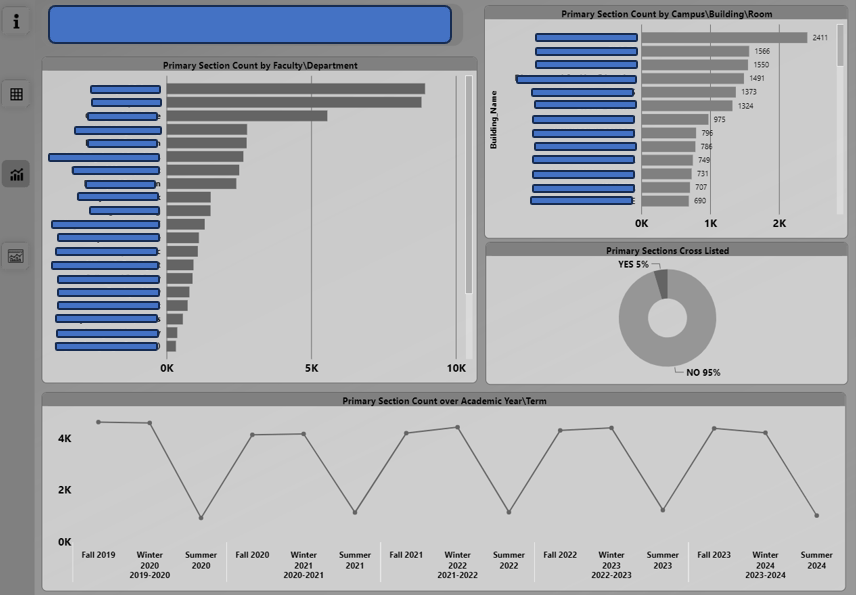
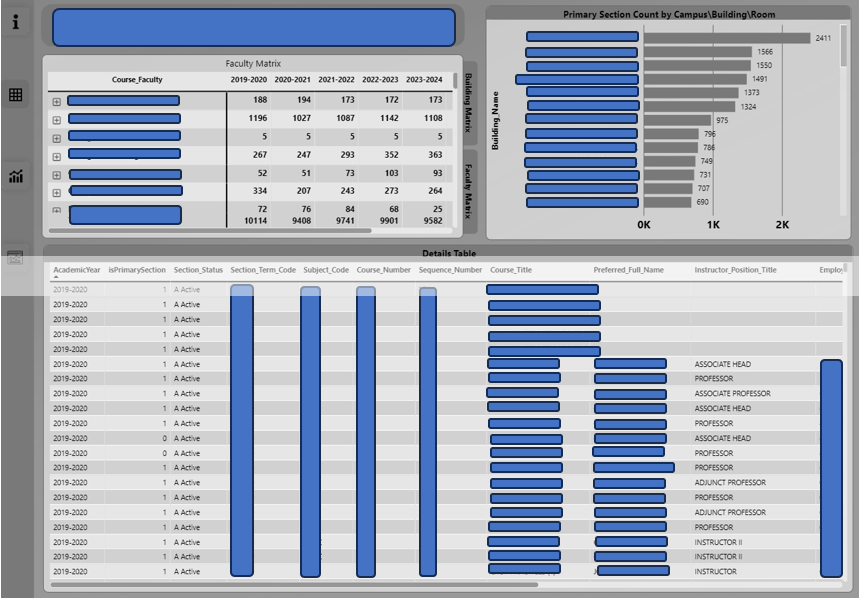
We started with creating views in the SQL data warehouse, then created a Power BI semantic model by importing the data through the views and specifying how those views related. The semantic model used business names for the tables and columns and hid any names that were only there for internal system purposes. This created a model that was easy to understand by business users and report authors who understood the business terms rather than the system or programmatic, technical terms. In the semantic model, we specified the measures that correctly summarized the numerical data in the model – for metrics like Head Counts (of instructors, courses, or students), and more complex calculations like percentages, derivations from targets, and time-intelligence measures (Year To Date measure that accumulate metrics for the year, or Previous Year metrics that compare a metric from one time period to another).
When the semantic data model is published in Power BI, then reports in Power BI are created from that semantic model to create visuals their desired KPIs and metrics.
We had taken on work from a previous vendor, which required us to determine what had already been done and what additional data and metrics needed to be added to the semantic model.
We ensured it was secure by implementing row-level security that allowed only relevant people the ability to view certain data reports.
The Benefit
The greatest benefit of this project is the client now has a Power BI semantic model that is clear, concise, and easily consumable by report authors and data analysts, and we can create reports that meet their needs quickly and easily with accurate data and saving valuable organizational resources. Additionally, with the previous vendor, our client was not seeing the outcomes they desired. With our help, we were able to provide them with a beneficial solution that lived up to their standards. The competence of Imaginet’s Data Engineering team allowed them to quickly see positive results.
Our team has been working hard these last few months, and we are excited to share our success with you. Don’t forget to subscribe to our newsletter to stay updated on our most recent Microsoft 365 projects. Fill out the form at the bottom of the page if your data is unreliable, you want to upgrade your data factory, or your data is difficult to manage.
discover more
Learn how to facilitate the transfer of a project from one team to another with these project transfer strategies. A well-planned hand-off, gradual transition, and embedding knowledge in the infrastructure of the code are key to making the process successful.…
Organization-wide signatures and disclaimers are a valuable feature in Microsoft 365 (M365) for creating a consistent and professional appearance for all emails sent from your organization. These signatures can include your company’s logo, contact information, and other important details, and…
“Maximize your database performance with Imaginet’s latest blog on using Query Store to analyze database performance. Learn how Query Store can help you monitor and analyze query performance, diagnose performance issues and improve database performance. Get insights on the benefits…
Let’s Build Something Amazing Together
From concept to handoff, we’d love to learn more about what you are working on.
Send us a message below or drop us a line at 1-800-989-6022.